Case study
Center360: one view of people, projects and staffing needs
A Capgemini centre with more than 600 people and international projects that come and go. Every new one starts with the same question: do we have this team in-house, or do we hire? I designed the internal platform that answers it, in a product trio with the PO and tech lead.
01 · Context
The centre, and the question every new project starts with
Capgemini's centre in Valencia has more than 600 people on international projects that come and go. Each new one asks the same thing: do we have this team in-house, or do we hire? Answering it means knowing who is free, who has the skills, who is about to leave and which moves between projects would free the right person. That knowledge lived in spreadsheets, emails and a different application for every task.
We worked as a product trio: product, design and technology deciding together from the start, so every proposal was checked early for business sense, feasibility and real usefulness. I also kept a direct line to the centre's director, managers and HR.
Business sense, cost, priority.
Real need, usable, worth adopting.
Effort, architecture, data.
The product trio. Three lenses on every decision before anything was built.
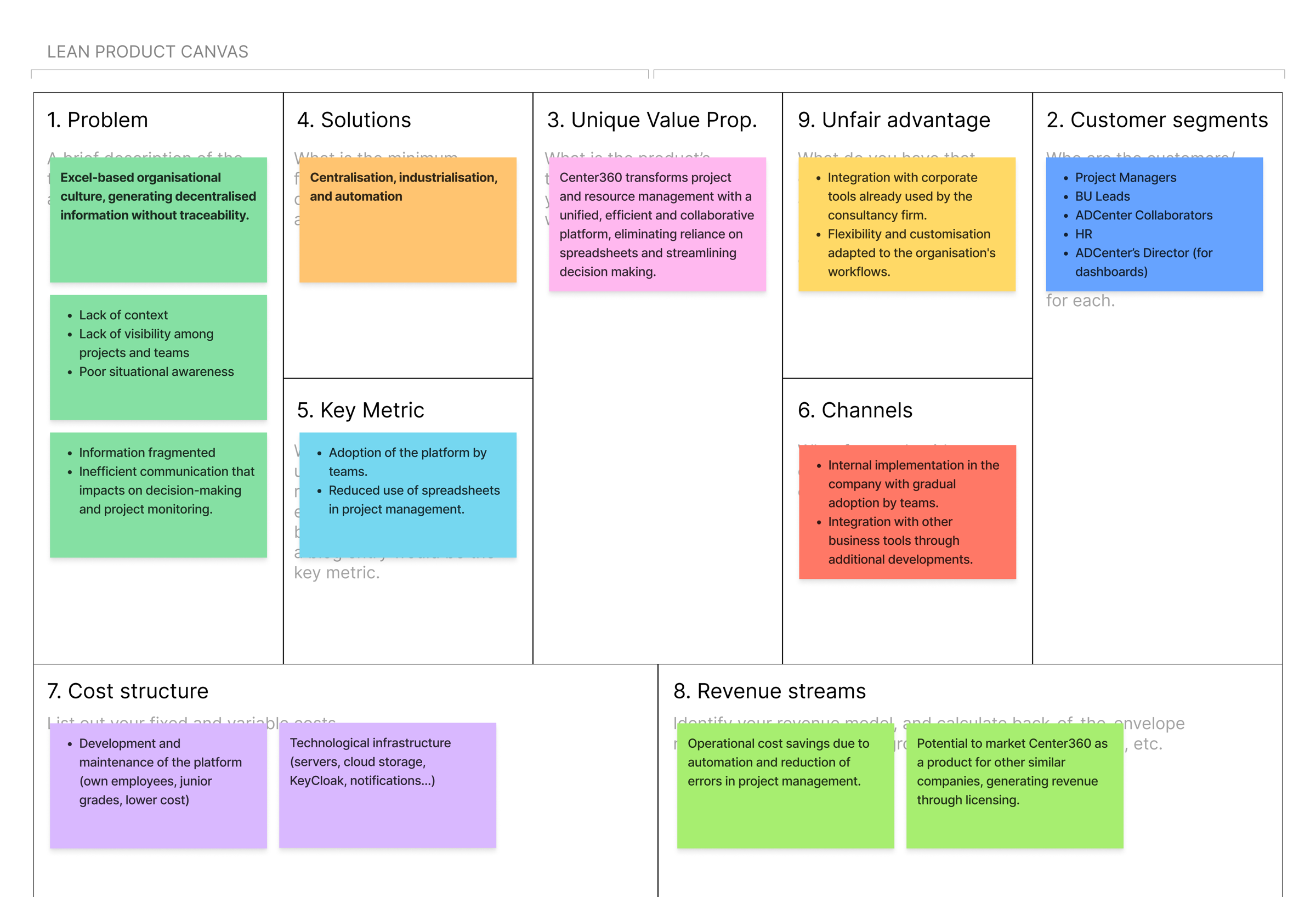
Build it in-house instead of licensing a tool. Three reasons:
- Long-term cost: no licences, no external dependencies.
- Training: the team gained real experience in React and Java while building it.
- Product potential: other Capgemini centres have the same problem, so it could be offered to them.
02 · Problem
The problem and its cost
Key information about projects, teams and skills was spread across Excel, email and tools that did not talk to each other. Each problem had a cost.
- Information scattered and outdated
- Wasted time and errors
- No visibility of who is working on what
- Hard to plan and assign staff
- Manual, unscalable processes
- Slow, person-dependent processes
- Disconnect between areas
- Little collaboration
- No visible internal opportunities
- Demotivation
03 · Research
Interviews, shadowing and four personas
Interviews and shadowing sessions to see how projects, staff and internal communication were actually managed. From the findings, four personas kept the design anchored to real needs, goals and frustrations.
Human Resources
Owns the data about people, and spends the day reconciling it.
Goals
- Assign people without endless back and forth.
- Coordinate with managers without friction.
- Spot capacity gaps before they become urgent.
- One reliable source for all employee data.
Frustrations
- Requests that arrive vague or without context.
- No full view of who is available.
- Email, spreadsheets and meetings as the system.
- Reactive processes, no way to anticipate.
Manager
Needs the right team on a project this week, not next month.
Goals
- Build the right team fast.
- See availability and skills at a glance, in and beyond the team.
- Request staff without bureaucracy.
- Decide on assignments quickly.
Frustrations
- Cross-referencing Excel, Slack and meetings.
- No clear place to see available profiles.
- Depending on HR for operational questions.
- Slow, inconsistent processes.
C-level
Decides on capacity and performance, and needs the whole picture to do it.
Goals
- A global view of projects and internal capacity.
- Strategic decisions on current data.
- Spot bottlenecks and operational risks.
- Use internal talent better, reduce rotation.
Frustrations
- Manual, outdated reports.
- Key information not available in real time.
- No visibility of how efficiently talent is used.
- Hard to tell whether people are well distributed.
Employee
Wants to know what is going on, and a way to move.
Goals
- See which projects are active in the company.
- Find internal opportunities that match their interests.
- Apply to other projects on their own.
- Feel part of the organisation and understand the bigger picture.
Frustrations
- Not knowing what other teams are doing.
- No clear channel to join a project or change team.
- Feeling disconnected, off the radar.
- Little internal transparency.
04 · Goals
Goals for users and for the business
For users
- Faster staff selection.
- No duplicated data, fewer errors.
- Organisational transparency.
- A stronger sense of belonging.
For the business
- Lower talent rotation.
- Leaner internal processes.
- Better use of available talent.
- A stronger organisational culture.
05 · Architecture
Role-based architecture and permissions
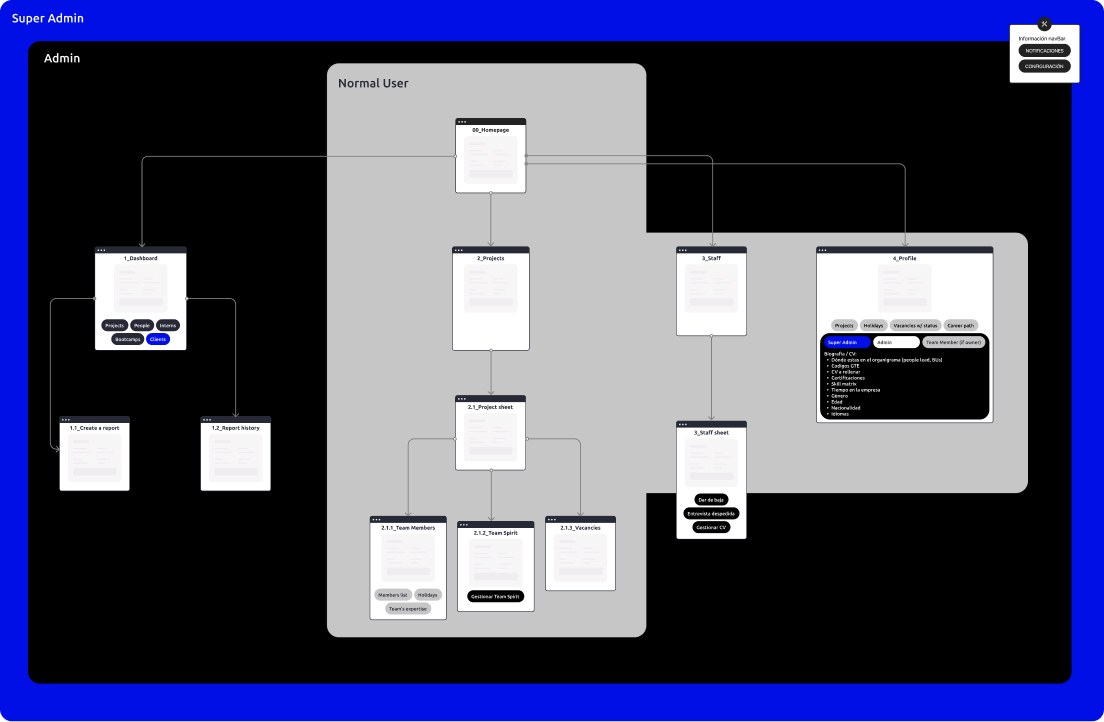
Once the main functionalities were validated, the question was how each profile reaches them. We structured the system as a funnel: visibility and the ability to act widen with the profile, from employees who explore and apply, to C-level with a global view of capacity and performance.
06 · Decisions
Wireframes, and how decisions were made
After the first focus groups, I designed wireframes so the conversation could be about something tangible. They confirmed interest in several proposals and surfaced needs specific to each role. Dozens of decisions came out of those sessions, big and small, and they all followed the same process: name the constraints, weigh the options, pick one and say why. Three examples of that process, drawn as decision trees:
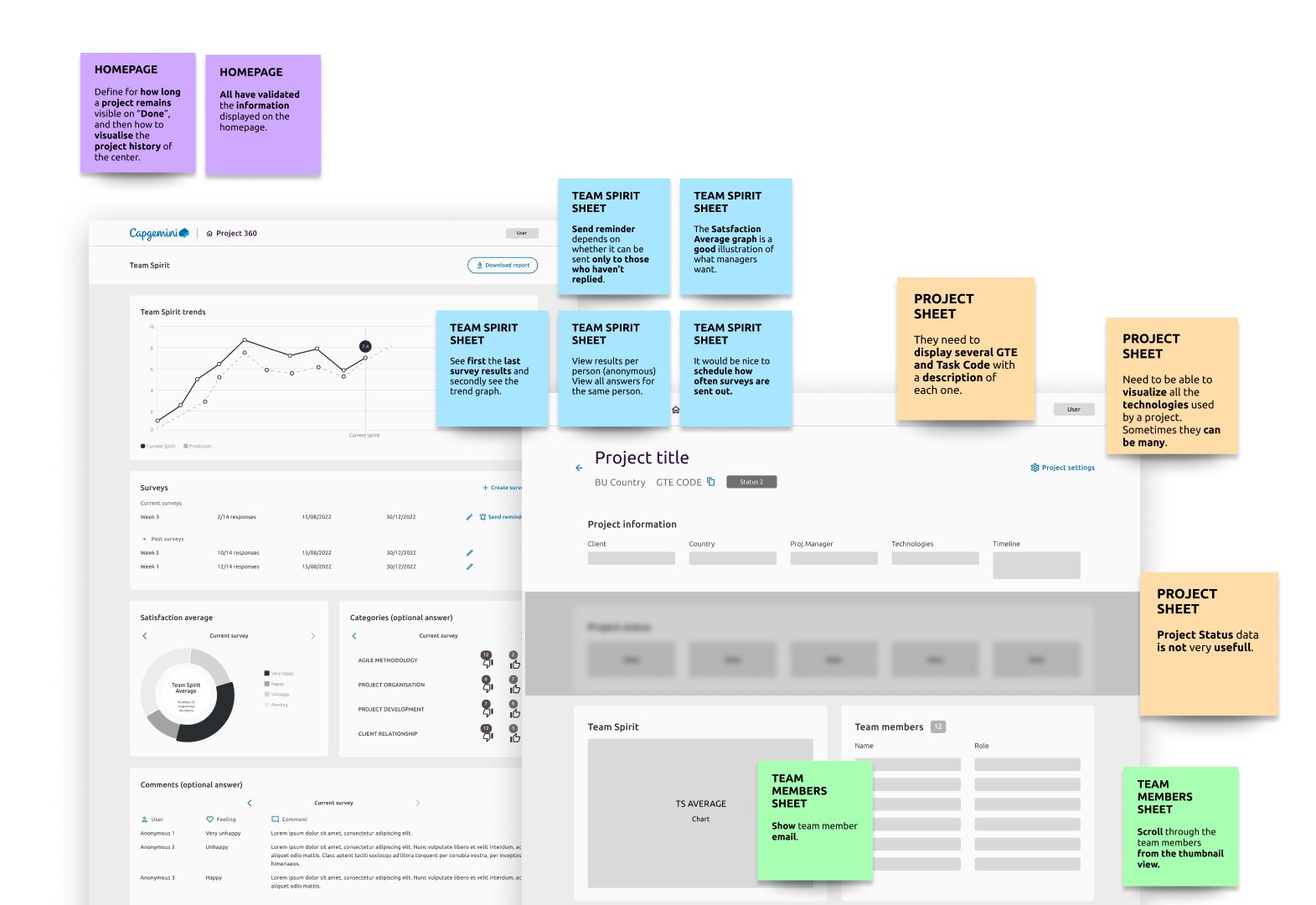
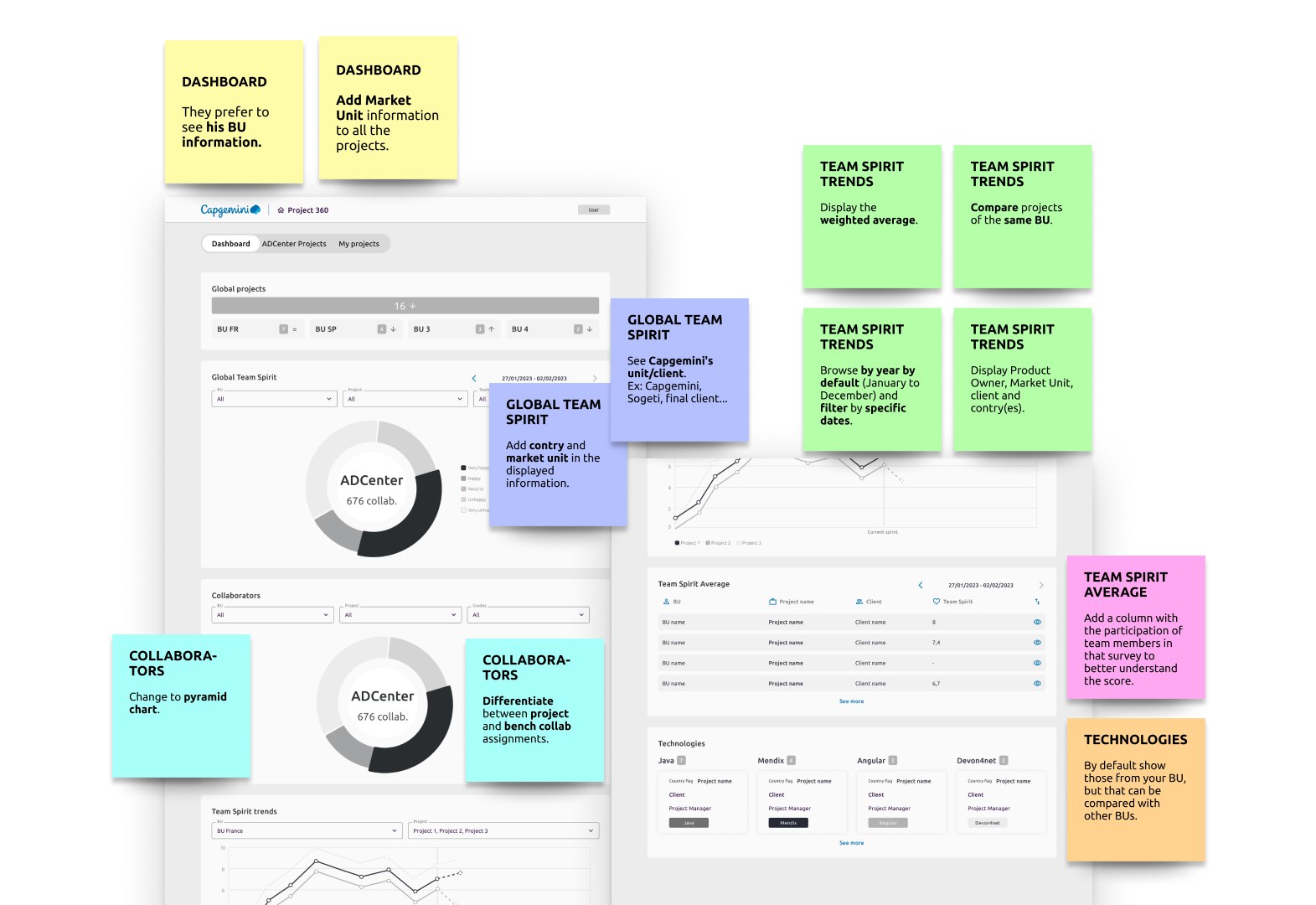
Where should the main menu live?
- ConstraintRoadmap of new modules
- ConstraintDesktop-first, dense screens
How many columns does the vacancies table need?
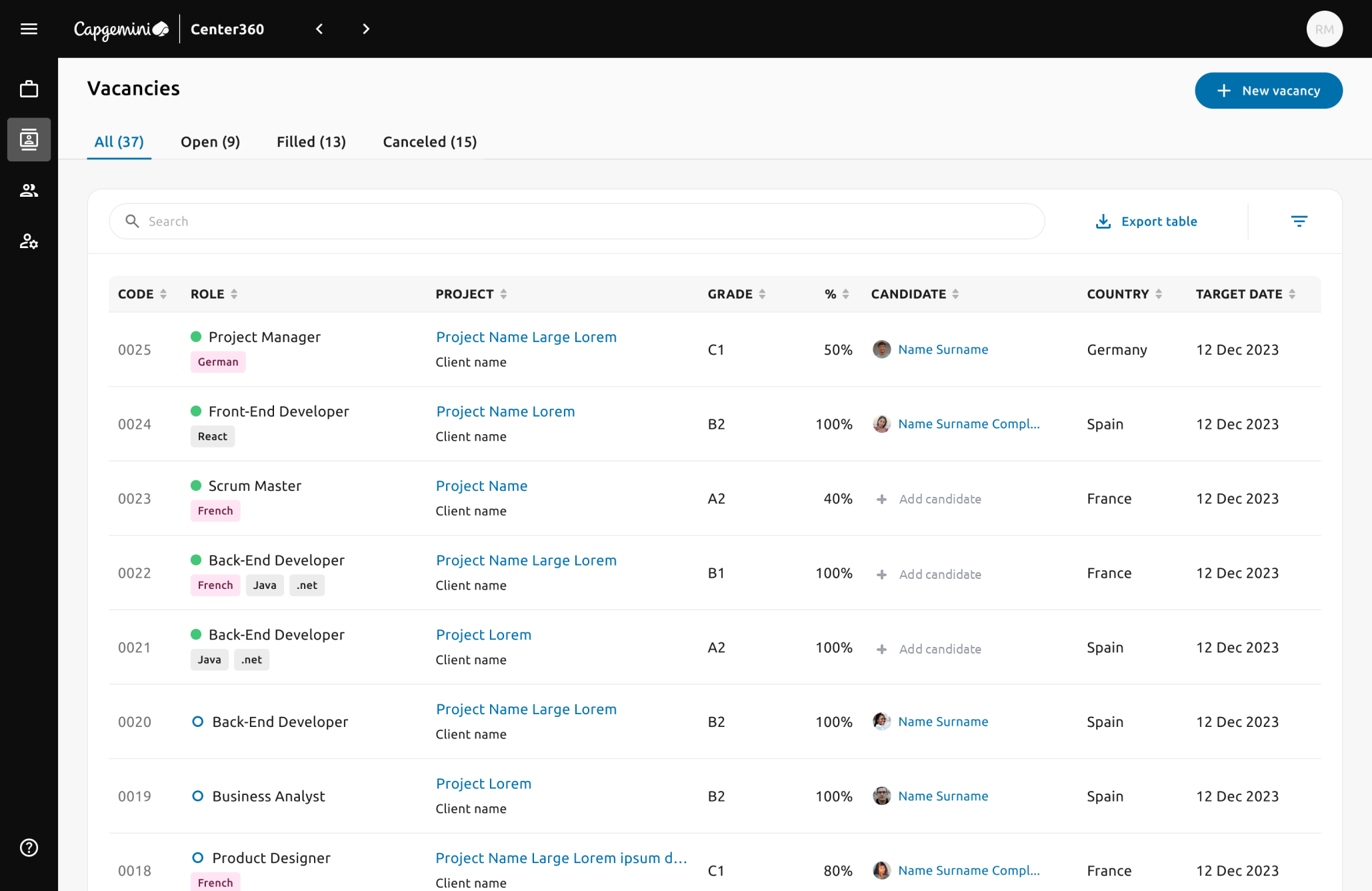
The hardest table in the product. Left to the managers, it would have had fifteen columns. The work was deciding what is essential to act on a vacancy, what can live in the detail page, and how to keep related data together.
- ConstraintManagers asked for ~15 columns
- ConstraintScanned daily, on laptops
RESULT · MIXING RELATED DATA IN ONE CELL
- Status as a dot, not a column. Green: the vacancy is open.
- Role name, the one thing every manager reads first.
- Language requirement as a chip in its own colour: managers filter by it, and it would otherwise be lost among skills.
- Technologies as chips, because for developer roles they decide the fit.
Where do managers mark a prospective candidate?
- ConstraintDecisions happen while comparing
- ConstraintMust stay traceable
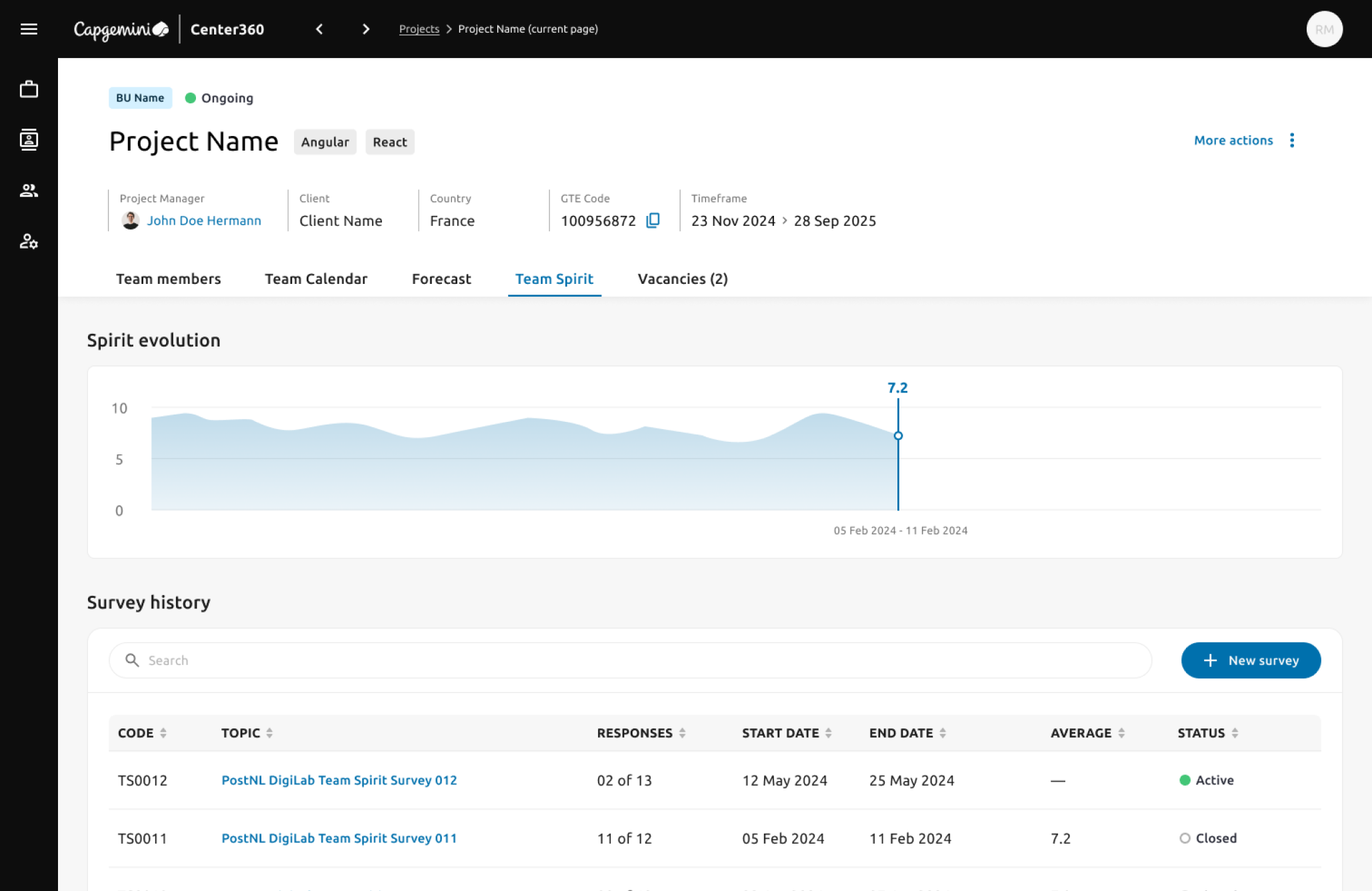
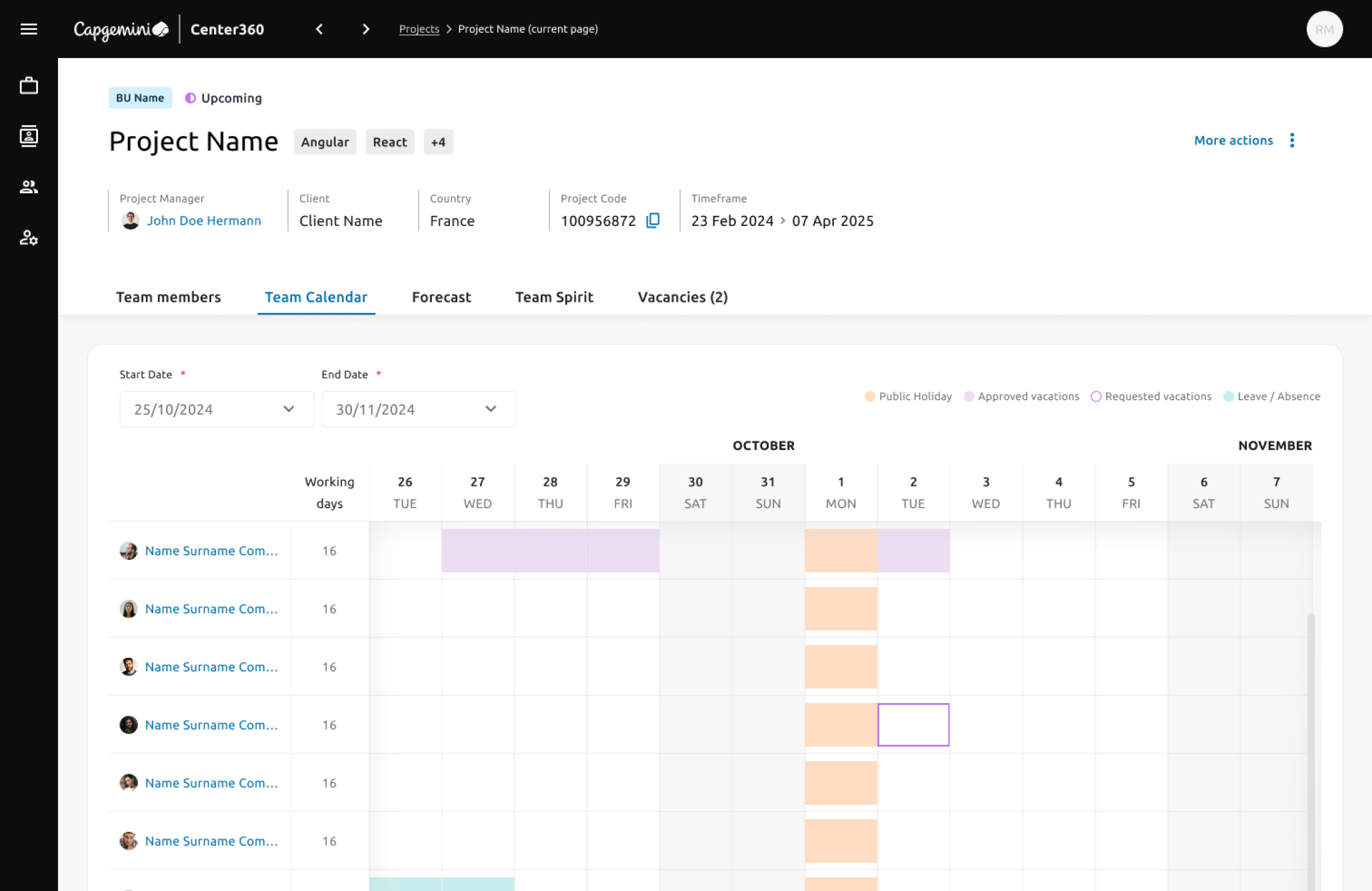
The inline edit came as the next step, once the table had settled. One more iteration: a more visual user profile with a graphic view of a person's project assignments.
07 · Outcome
The outcome
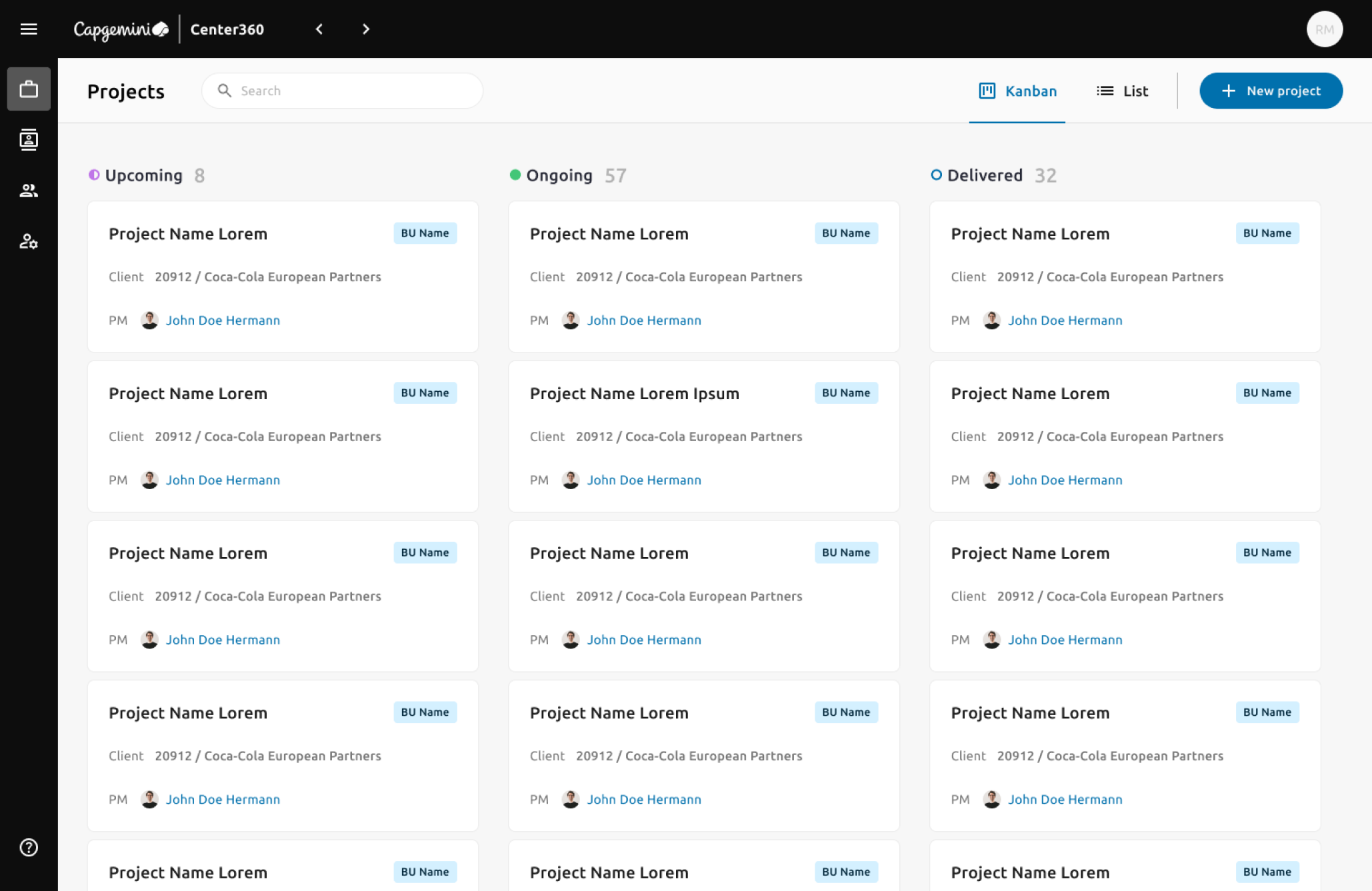
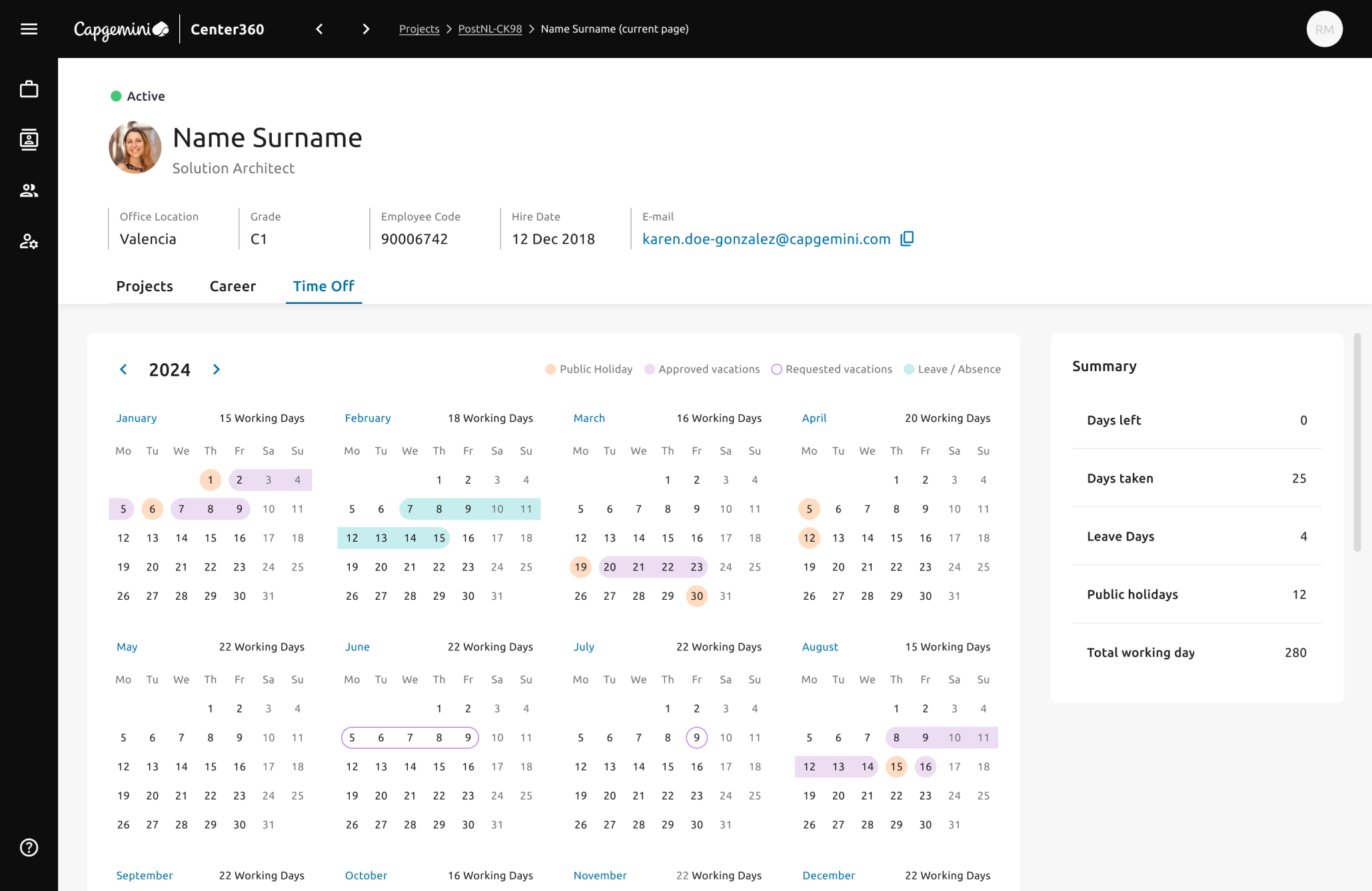
08 · Impact
Impact
Staff assignment errors dropped because information was current and traceable. Participation was high in the first weeks, with positive feedback on clarity and usefulness.
* Estimated by the managers who used it, comparing a typical profile search before (spreadsheets and email) and after, in Center360. Not a controlled measurement.
09 · Lessons
Lessons and next steps
- Balance client and user needs. Products move the metrics that matter when both are served, not one.
- Involve every profile from the start. It is what made the tool relevant at every level of the organisation.
- Product trio. Business, feasibility and experience weighed in the same conversation.
- Design for low availability. C-level and managers had little time; asynchronous validation, short interviews and concrete visual deliverables solved it.
- Suggest compatible profiles for a project automatically, from skills, availability and history.
- Performance tracking: merge the existing employee evaluation platform and use its data for monitoring.
- Real-time KPI dashboard for C-level with proactive alerts.